Drone as a Service

Point Clouds, DEMs, and Orthomosaics: What Drone 3D Scanning Actually Delivers

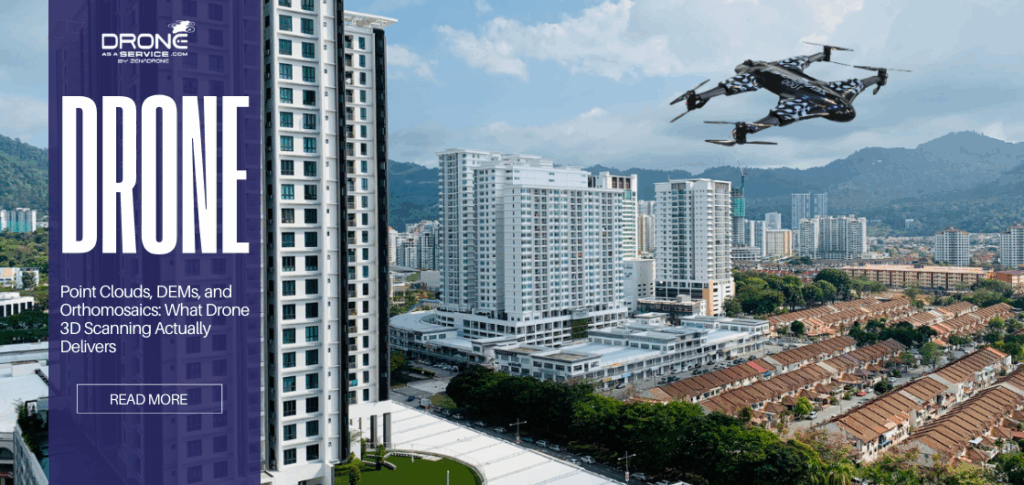
3D point cloud, Digital Elevation Model (DEM), and orthomosaic outputs generated from

What Is Point Cloud in Drone 3D Scanning?

A 3D point cloud is a dataset of millions of data points plotted in three-dimensional space, where each point represents a precise geometric coordinate (X, Y, Z) on the surface of the scanned object. It is the digital raw material from which all other 3D models are derived.
In a point cloud, the drone sensor, whether camera or LiDAR, captures a cloud of geometric vertices instead of a picture. If you zoom in, you see thousands of dots forming the exact shape of a wall, not a solid surface.
Raw Spatial Data is the direct output of the scanning process. Every dot usually contains geospatial coordinates (X, Y, Z) and often color values (R, G, B) or intensity.
Point clouds are the Foundation for all 3D Models. You process a point cloud to create a mesh, a DEM, or a contour map. High-density point clouds (hundreds of points per square meter) can define small features like curbs or wires. Low-density clouds are sufficient for general terrain shapes but miss fine details.

Applications of Point Clouds

Measures: Engineers can calculate accurate distances, slope or heights between any two points in the point cloud.
Volume Calculations: Special software is used to provide a surface over the points to compute the volume of objects like stockpiles or pits.
Modeling and Analysis: Architects scan point clouds and import them into Building information model (BIM) software to report and analyze the condition of the site, a process referred to as Scan-to-BIM.

Limitations of Point Clouds

Not a Finished Report: A point cloud is a large, unprocessed data file, often several gigabytes in size. It cannot be directly shared with clients as a deliverable and it needs specialized software in order to be visualized.
Not a Decision by Itself: The conclusions need to be drawn through the interpretation of a human being or algorithm, such as identifying a leaning wall or quantifying material volume.

Takeaway: A 3D point cloud is a raw spatial data that requires processing and interpretation.

What Is a Digital Elevation Model (DEM)?

Digital Elevation Models (DEMs) are three-dimensional models of the earth surface that show the elevation and topography of the surface without vegetation, buildings, and other structures. They are very important in various scenarios like predicting wildfire behavior, aiding ecological conservation planning, and simulating the water flow and flood risk.
A true DEM, often called a DTM or Digital Terrain Model in civil engineering, represents the bare earth. It removes trees, buildings, and machinery, leaving only the dirt. This is the standard format for hydrology analysis and grading plans.

DEM vs DSM

DEM (Digital Elevation Model): Represents the bare-Earth surface, removing natural and built features;
DSM (Digital Surface Model): Captures natural and built/artificial features of the environment, as shown below;

Takeaway: A DEM represents ground elevation and is used for terrain-based decisions.

What Is an Orthomosaic and What Should It Be Used For?

An orthomosaic is a detailed, geometrically corrected aerial image made by stitching together overlapping photos from drones or aircraft. Orthomosaic drone mapping creates a high-resolution aerial map that is geometrically corrected (orthorectified), ensuring uniform scale and minimal distortion.
This gives a constant scale and correct geographic portrayal that makes them functionally identical to maps and allows accurately measuring distance, area and volume.
Unlike a standard aerial photo, where perspective makes tall buildings lean outward and skews distances, an orthomosaic is stitched from hundreds of photos to appear strictly top-down.

Applications of Orthomosaic

Visual Reference: It provides the “what” context. While a DEM tells you the elevation is 100 feet, the orthomosaic shows you that the spot is a patch of concrete, not grass.
Mapping and Inspection: It allows for accurate 2D measurements of horizontal distances (e.g., length of a fence, area of a roof).

Limitations of Orthomosaic

Elevation Measurements: It is a 2D image. You cannot measure the height of a tree or the slope of a hill from it.
Volume Calculations: You cannot calculate the volume of a pile from a flat picture. You need the Z-axis data from a point cloud or DEM for that.

Takeaway: Orthomosaics are visual tools, not true 3D measurement outputs

Which Drone 3D Scanning Output Should Be Used for Specific Decision?

Using the wrong data type is the fastest way to make a bad engineering decision. This table maps the correct output to the specific industry problem it solves.

Output Type

Decision Supported

Industry Use Case

3D Point Cloud

Clash detection, As-built verification, Complex geometry modeling

Construction: Checking if new steel beams hit existing pipes.

Digital Elevation Model (DEM)

Water flow analysis, Earthwork (Cut/Fill) estimates, Slope stability

Mining / Civil: Calculating how much dirt needs to be moved to level a site.

Orthomosaic

Site logistics, Visual inspection, 2D Area measurement

Infrastructure: Inspecting road pavement condition or planning laydown areas.

Contour Lines

Topographic readability, Gradient visualization

Land Surveying: Creating traditional plat maps for printed reports.

Takeaway: Drone outputs must match the decision being made. Using a 2D map for a 3D volume problem results in failure.

Risks of Using the Wrong Output

Misinterpreting drone 3D scanning data can have financial and legal consequences.

Measurement Errors: Using an orthomosaic to estimate a stockpile’s size ignores the pile’s height profile. This can lead to inventory variances worth hundreds of thousands of dollars.
Misdesign: Planning a road with a DSM (trees) instead of a DEM (bare earth) may have the effect of creating a road that is projected to ride on a canopy of trees rather than on the ground.
Cost Overruns and Rework: In the event that a foundation is placed using unconfirmed point cloud data that has drifted under poor GPS signal, the concrete might be jackhammered out and repoured.

Takeaway: Using the wrong output leads to expensive and avoidable mistakes. Make sure to verify that the data format suits the specific engineering task.

CAD, BIM, and GIS Compatibility

Drone 3D scanning is useless if the data stays on the drone. Value comes when the data enters the engineer’s workflow.

Integration: Point clouds (.LAS, .RCP) plug directly into BIM software like Revit to model existing conditions. Orthomosaics (.TIFF) serve as background layers in CAD (AutoCAD/Civil 3D) and GIS (ArcGIS) for site context.
Format Matters: Providing a 50GB point cloud to a client on a laptop who requires a PDF map is service failure. The data should be decimated or changed to the format that can be used by the end-user’s software.

Takeaway: Drone outputs create value only when formatted to fit seamlessly into existing engineering and design workflows.

Common Misunderstandings About Drone Outputs

Orthomosaic is not equivalent to 3D Model: Just because an orthomosaic looks high-resolution does not mean it contains elevation data. It is a flat map.
Point Cloud ≠ Final Decision: A point cloud is just millions of dots. It is not a “floor plan” or “contour map” until a professional processes and classifies it.
Visual Clarity ≠ Accuracy: A sharp 3D model can still be wrong by meters if it was not anchored with Ground Control Points (GCPs) within a properly validated drone 3D scanning workflow that converts aerial data into survey-grade models. “Looking good” is not the same as “measuring true.”

Takeaway: Misunderstanding the nature of these outputs is one of the leading causes of drone data misuse and project disputes.

Conclusion

Drone 3D scanning delivers powerful data products, but they are not interchangeable. The 3D point cloud is your geometric anchor, the DEM is your terrain analyzer, and the orthomosaic is your visual map. Success comes from matching the right output to the right problem.
To understand how these outputs are generated from the initial flight, revisit our pillar guide on Drone 3D Scanning: How Aerial Data Is Converted Into Survey-Grade 3D Models for Industry Decisions.

FAQS

What is a 3D point cloud used for in drone scanning?

A 3D point cloud is used to represent the exact geometric surface of an object. It allows for complex 3D measurements, volume calculations, and is the raw data used to create BIM models.

A DEM represents elevation (height) values of the bare earth, used for analyzing terrain. An orthomosaic represents visual color (a map), used for viewing the site context.

No. An orthomosaic is a 2D image corrected for perspective. While it is derived from 3D data, the output itself is flat and contains no Z-axis (elevation) information.

For volumes, you need a classified Point Cloud or a DEM (Digital Elevation Model). These formats contain the vertical data necessary to calculate cubic yardage.

Using the wrong output (e.g., measuring volume from a 2D image) can lead to significant calculation errors, potentially causing inventory shortages, incorrect drainage designs, or construction rework.

Read Our Other Blogs

Item #1

THANK YOU

Thank you for booking a consultation with Drone as a Service! One of our team members will contact you shortly.