


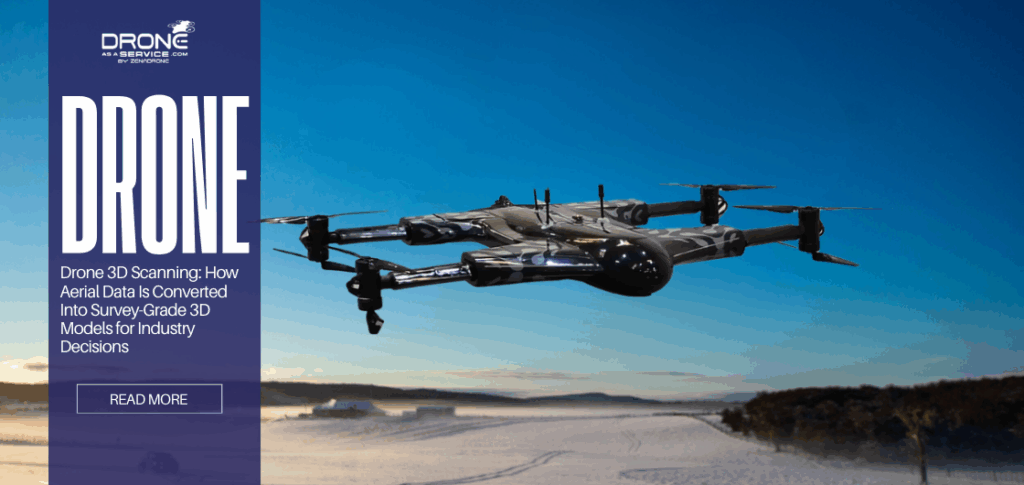
Drone 3D Scanning: How Aerial Data Is Converted Into Survey-Grade 3D Models for Industry Decisions
TL;DR
- What drone 3D scanning is
- Use of aerial imagery + LiDAR
- Outputs: point clouds, DEMs
What Is Drone 3D Scanning?
Drone 3D scanning uses drones with high-definition cameras, LiDAR sensors, or other imaging devices to capture detailed aerial images or laser data of landscapes, buildings, and infrastructure. Unlike standard drone photography, which captures flat images for visual reference, 3D scanning ties each pixel or data point to a specific geospatial coordinate (X, Y, Z).
Industries have moved away from manual surveys because drone scanning is much faster and safer. Research shows that drone surveys can map large sites up to 80% faster than traditional ground methods while lowering operational costs. For example, a drone can map a 100-hectare site in 40 to 120 minutes, while traditional land surveying could take hours or days.
Drone Photos vs. Drone 3D Scanning
The distinction between a photo and a scan is mathematical.
- Drone Photos: A single static image. It suffers from perspective distortion (objects closer to the lens look bigger) and lens distortion (fisheye effect). You cannot reliably measure distance on a raw drone photo because the scale changes across the image.
- Drone 3D Scanning: A dataset processed to correct all distortions. By combining thousands of images or laser returns, the software creates an orthographic view where scale is uniform. If you measure 10 meters on the scan, it is exactly 10 meters in reality, regardless of the terrain’s slope.
Understanding the Difference: Engineering-Grade Scanning vs. Hobbyist Approaches
It is critical to distinguish engineering-grade scanning from hobbyist activities.
- A mini drone around a house taking video is not scanning. Without a planned flight path, specific overlap, and processing software, the data is purely aesthetic.
- While some consumer apps stitch photos together, they often lack the “survey-grade” control (GCPs/RTK) required for legal or engineering work.
Takeaway: Drone 3D scanning turns a physical site into a measurable digital database, shifting the workload from “collecting sparse data in the field” to “analyzing dense data in the office.”
Core Technologies Behind Drone 3D Scanning
There are two primary sensors used in aerial 3D scanning: Photogrammetry (cameras) and LiDAR (lasers). Choosing the right one is the most critical technical decision for a project manager.
Choosing the right one is the most critical technical decision for a project manager, particularly when comparing photogrammetry vs LiDAR in terms of terrain visibility, vertical accuracy, and vegetation penetration. The practical differences between these methods are explored in detail in our analysis of how drone photogrammetry and LiDAR work together in 3D scanning.
Drone Photogrammetry
Photogrammetry operates on the principle of triangulation. It is the science of making measurements from photographs. The drone captures hundreds of overlapping 2D images. Specialized software analyzes these images to find key features, which are distinctive pixels like the corner of a curb, a painted lane line, or a specific rock.
Image Overlap & Feature Matching
The software employs a technology known as Structure from Motion (SfM) to generate 3D geometry out of 2D images.
- Overlapping: The drone should be able to work in a lawnmower pattern with high overlap, normally 75 overlap front and 60 overlap side.
Stereo Vision: The human eyes see depth because an object is viewed at two slightly different angles. On the same note, the software uses the same key feature to determine depth when 10, 20 or 30 photos are taken in different positions.
Application:
- Visual Realism: Photogrammetry captures the actual color and texture of the site. It produces hyper-realistic “textured meshes” that are easy for non-technical stakeholders to understand.
- Hard Surfaces: It performs excellently on asphalt, concrete, bare soil, and rock faces.
- Cost: High-end photogrammetry drones are significantly cheaper than LiDAR drones.
Limitation:
- Vegetation: Cameras cannot see through leaves. If a site is covered in tall grass or forest, the photogrammetry model will “drape” over the top of the canopy. You will map the treetops, not the ground elevation.
Uniform Surfaces: Snow, sand, water, and glass are the enemies of photogrammetry. If a surface has no distinct features (it is all one color), the software cannot match pixels, resulting in “noise” or holes in the model.
Lighting: It is a passive sensor relying on the sun. Shadows can create data gaps, and operations are limited to daylight.
LiDAR Drone Scanning
LiDAR (Light Detection and Ranging) is an active sensor. It fires hundreds of thousands or even millions of laser pulses per second toward the ground. The sensor measures the “Time of Flight” (ToF), which is the exact nanoseconds it takes for the light to hit an object and return.
Laser Pulse Measurement & Returns
LiDAR’s superpower is its ability to record multiple returns from a single pulse.
- A laser pulse is fired down.
- One of the beams strikes a leaf in a tree (1st Return).
- The residual light persists, striking a branch halfway down (2nd Return).
- The last fragment of light falls on the soil at the bottom (3rd/Last Return). Surveyors can virtually strip vegetation to bare earth by filtering the data digitally to retain only the “Last Returns” of the data.
Vegetation Penetration
This ability renders LiDAR to be essential in topographical surveys in vegetated regions. Studies also verify that LiDAR produces high-quality Digital Terrain Models (DTMs) in dense vegetation with less error than photogrammetry that tends to float meters above the actual terrain.
Application of LiDAR:
- Dense Vegetation: Forestry, overgrown undeveloped land, or agricultural drainage analysis.
Thin Structures: Power lines, cell towers, and intricate piping are often too thin (sub-centimeter width) for photogrammetry to reconstruct. LiDAR captures them effortlessly. - Low Light: Because it provides its own light source, LiDAR can map tunnels or operate at night.
Takeaway: Use photogrammetry for visual detail and open sites (roads, mines, rooftops). Use LiDAR for penetrating vegetation, mapping thin wires, or working in low-light conditions.
How Does Drone 3D Scanning Work From Flight to Final Model?
Achieving “survey-grade” accuracy is a rigorous workflow. A sloppy workflow with a $50,000 drone will yield worse data than a disciplined workflow with a $2,000 drone.
Flight Planning & Data Capture
The quality of the model is determined before the drone ever takes off. Pilots use flight planning apps to automate the mission.
- GSD (Ground Sampling Distance): This is the real-world size of one pixel. A GSD of 1 cm/pixel means the drone is flying low enough that every pixel represents 1 cm. Lower GSD = Higher Resolution = Longer Flight Time.
- Grid Patterns:
Nadir (Top-down): Best for 2D maps and flat terrain.
Oblique (Angled): The camera is tilted (e.g., 45°). This is required for 3D modeling vertical structures like buildings or cliffs. If you only look down, the software cannot reconstruct the walls. - Speed: Flying too fast causes motion blur, which ruins photogrammetry processing.
Data Processing & Point Cloud Generation
Once the drone lands, the data (images or raw laser logs) is transferred to a high-powered workstation.
- (Aerial Triangulation): The program compares the features in thousands of images to figure out the exact position of the camera when each shot was done.
- Densification: The sparse matches are densified to a Dense Point Cloud, composed of millions of color (RGB)-intensity points.
- Classification: Advanced algorithms (often AI-assisted) are used to classify the points: “Ground,” “Vegetation,” “Road Surface,” “Building.” This plays a vital role in developing clean terrain models.
Model Creation & Validation (GCPs, RTK, PPK)
To make the data “survey-grade,” it must be anchored to the planet with high precision.
- RTK (Real-Time Kinematic): The drone communicates with a base station on the ground to correct GPS errors in real-time. This brings satellite positioning accuracy from meters down to roughly 1–3 cm.
- PPK (Post-Processing Kinematic): Similar to RTK, but the correction happens after the flight using logs from the drone and a base station. PPK is preferred in remote areas with poor radio connectivity.
- GCPs (Ground Control Points): These are the gold standard. A surveyor paints a target on the ground and measures its exact center with a highly accurate GPS rover. During processing, these points are manually marked to “pin” the model to the earth. Even with RTK, GCPs are essential to verify accuracy.
Takeaway: The drone is just the data collector. The real “3D scanning” happens in the processing software, where rigorous validation against Ground Control Points transforms raw pictures into engineering data.
Key Attributes That Define Survey-Grade Drone 3D Scanning
“Survey-grade” is a term often used loosely in marketing, but in the geospatial industry, it implies strict adherence to accuracy standards (often ASPRS standards).
Absolute vs. Relative Accuracy
Understanding the difference is vital for liability.
- Relative Accuracy: The internal consistency of the model. If you measure the width of a road in your model, does it match the real road width? If you only need to calculate the volume of a stockpile relative to the ground it sits on, high relative accuracy is sufficient.
- Absolute Accuracy: The global truth. If you extract a coordinate from your model (X=500, Y=200) and walk to that spot on Earth with a GPS rover, are you exactly there? This is mandatory for legal boundaries, road construction, and overlaying designs on real-world sites.
Horizontal vs. Vertical Accuracy
Drones are typically more accurate horizontally (X, Y) than vertically (Z).
- Horizontal (X, Y): Usually 1–2 times the GSD. If your pixel size is 1 cm, your horizontal accuracy is 1–2 cm.
- Vertical (Z): Usually 1–3 times the GSD. Vertical accuracy is the hardest to achieve and is most sensitive to calibration errors (doming effects).
Point Density & Resolution
- Resolution (GSD): How sharp the visual data is.
Point Density: How many measurement points exist per square meter. A LiDAR scanner might return 500 points per square meter (pts/m^2), whereas a photogrammetry model might generate 100 pts/m^2 on smooth surfaces. Higher density is required for detailed feature extraction (e.g., modeling a curb profile).
Validation Methodology
You cannot claim a scan is accurate just because the software says so. The Root Mean Square Error (RMSE) must be calculated using independent checkpoints.
- Place 10 targets on the ground.
- Use 5 as GCPs (to process the map).
- Use 5 as Checkpoints (leave them out of processing).
- Compare the model’s coordinates for the Checkpoints against the known survey values.
- RMSE is the standard deviation of these errors. If your RMSE_z(vertical error) is 3cm, that is your accuracy.
Takeaway: Survey-grade drone scanning requires proven validation. Without Checkpoints and an RMSE report, a 3D model is just a pretty picture, not a survey.
What Outputs Are Generated by Drone 3D Scanning?
Different stakeholders require different file formats. Understanding which output supports which decision is critical, especially when comparing point clouds, DEMs, and orthomosaics for engineering use.
Point Clouds
Point clouds are an array of millions of colored dots in 3D space that are used to represent the outer surface to the scanned area.
What decision it supports:
- Clash Detection: Load the point cloud in BIM programs such as revit or navisworks to determine whether a new design will collide with the existing structures.
- As-Built Verification: Checking whether the steel beams constructed are similar to the design model.
- Complex Modeling: Tracking certain attributes such as overhead wires or piping.
What decision should NOT be used for:
- Standard Printing: It is impossible to print a point cloud in the form of a 2D map.
- Simple Area Measurements: It is computationally intensive and difficult to navigate by non-technical stakeholders without specialized viewers.
Digital Elevation Models (DEM)
DEM generates a raster grid where every pixel represents an elevation value. Often separated into DSM (Digital Surface Model – includes trees/buildings) and DTM (Digital Terrain Model – bare earth only).
What decision it supports:
- Hydrology & Drainage: Analyzing where water will flow or pool on a site.
- Cut/Fill Estimation: Calculating exactly how much dirt needs to be moved to reach a design grade.
- Slope Analysis: Identifying areas that are too steep for machinery.
What decision should NOT be used for:
- Visual Asset Inspection: A DEM is usually a heat map (colored by height); it does not show cracks in pavement or rust on pipes.
- Vertical Object Analysis: DEMs are “2.5D” (top-down elevation). They cannot accurately model the side of a vertical wall, a tunnel, or the space under a bridge.
Orthomosaics
Orthomosaics produce high-resolution, geometry-corrected aerial map stitched from hundreds of photos. Unlike a satellite image, it is free from perspective distortion and is current.
What decision it supports:
- Site Logistics: Planning laydown areas, crane locations, and entry/exit routes.
- 2D Measurements: Accurately measuring the length of a fence line or the square footage of a roof.
- Visual Communication: Providing a clear, up-to-date background map for CAD drawings.
What decision it should NOT be used for:
- Volumetrics: You cannot calculate the volume of a pile from a flat 2D image.
- Flood Analysis: An orthomosaic shows what is there (grass, concrete), but not the elevation required to predict water flow.
Volume Reports
An automated PDF or spreadsheet generated by comparing the surface of a stockpile (from the DSM) to a base reference plane.
- What decision it supports: Inventory valuation and production tracking.
- What decision it should NOT be used for: Not suitable for high-precision structural volume (like concrete pouring) unless the base was also scanned before the pour.
Takeaway: Request a Point Cloud for engineering design, a DEM for earthworks/water, and an orthomosaic for general site management.
What Are the Accuracy Limits and When Is Drone 3D Scanning Not Ideal?
Even the best survey-grade drone scanning technology has physical limits. It is not a magic wand that works in every scenario.
Weather Limitations
- Wind: High winds (>25 mph) cause the drone to buffer, draining battery and potentially causing image blur.
- Precipitation: Rain and fog are major disruptors. Rain damages electronics, but technically, it also refracts LiDAR pulses and blurs photogrammetry lenses, rendering the data useless.
- Light: Photogrammetry requires consistent lighting. Flying on a partly cloudy day can result in “patchy” maps where shadows shift between flight lines, confusing the processing software.
GNSS Interference
Drones rely on GPS/GNSS.
- Urban Canyons: Flying between tall skyscrapers can block satellite signals, causing the drone to drift or lose RTK lock.
Magnetic Interference: Flying too close to high-voltage transmission lines or massive steel structures can disrupt the drone’s compass, leading to flight instability.
Reflective / Uniform Surfaces
- Water: Water absorbs Near-Infrared LiDAR pulses (unless using specialized Bathymetric LiDAR). In photogrammetry, water is a moving, reflective surface that cannot be stitched. It usually appears as a black void or a distorted mess in the final model.
- Glass & Shiny Metal: These surfaces reflect the environment. As the drone moves, the reflection moves also. The software tries to “match” the moving reflection rather than the static glass, causing the building facade to look melted or exploded.
When Ground Surveys Are Required
Drones are a “macro” tool. They are excellent for the 95% of the site that is open. However, for the 5% that requires millimeter precision or is obscured:
- Obstructed Views: Underneath a dense bridge deck or inside a building.
- Millimeter Tolerances: Setting anchor bolts for steel columns requires precision (±1-2mm) that is currently beyond the reliable capability of aerial mapping.
- Legal Boundaries: In many jurisdictions, finding property pins buried underground still requires a licensed surveyor with a shovel and a locator.
Takeaway: Drone 3D scanning complements traditional surveying but does not replace it. It works best for large-area topographic mapping, while ground tools are superior for high-precision layout and obstructed areas.
Industry Applications
Construction
Construction sites are dynamic, and rework is costly. To reduce this risk, weekly drone flights collect site data for ‘Scan vs. BIM’ analysis, overlaying point clouds onto design models. This enables project managers to confirm that recent work matches digital blueprints through structured construction site drone scanning workflows that align aerial data with BIM models. Studies show that comparing drone point clouds to BIM models allows for automated tracking of construction progress, including floor completion.
For more information, see our guide on How Drone Photogrammetry and LiDAR Work Together in 3D Scanning.
Mining & Quarry
Drones surveying is becoming the most adopted in mining and quarry operations particularly in the stockpile inventory management. Drones are significantly quicker and safer in stockpile volumetric data collection in comparison to conventional techniques where the surveyor has to mount loose piles. Research indicates that drone volumetric measurements contain 2.6% error rate, which is within the usual industry standard of +-3.
For further details, see our guide on Point Clouds, DEMs, and Orthomosaics: What Drone 3D Scanning Actually Delivers.
Infrastructure
Older infrastructure must be monitored continuously to ensure safety of the population and efficiency of the infrastructure. Digital twins are now applied by engineers to inspect solar farms, bridges, and dams. High resolution scans are useful in identifying problems such as cracks, spalling, or corrosion at a distance.
For more information, see our guide on Construction Site Drone 3D Scanning: From Progress Tracking to Quantity Surveys.
The Future of Drone 3D Scanning
The industry is rapidly evolving from “piloted data collection” to “autonomous data streams.”
Automation
Drone-in-a-Box (DiaB) solutions are becoming a reality. These autonomous docking stations are installed permanently on a mine or job site. The drone wakes up, performs a scheduled scan, lands, and charges itself without human intervention. This enables daily or hourly site updates.
AI Processing
Currently, processing huge point clouds requires manual cleanup, such as deleting cars and filtering noise. Future algorithms will use Deep Learning to automatically classify and clean point clouds instantly. We are moving toward Real-Time 3D, where the model is built on the drone as it flies and delivers a finished map when it lands.
BIM / GIS Integration
The silo between “Drone Data” and “CAD Data” is dissolving. Modern workflows allow seamless streaming of massive drone point clouds directly into software like Autodesk Revit, Civil 3D, and ArcGIS. This means the drone scan becomes the native “background layer” for all engineering design work.
When Should You Use Professional Drone 3D Scanning Services?
While consumer drones are accessible, achieving survey-grade results is a professional discipline.
Accuracy Thresholds
A standard drone and simple processing could be enough in case you need to see rough estimates of your project visual updates. For applications requiring sub-3 cm accuracy, such as earthwork payments, legal disputes, or concrete pre-pours, professional drone scanning services employing RTK or PPK workflows and GCP validation are essential.
Compliance & Liability
Flying a drone commercially involves legal adherence (e.g., FAA Part 107 in the US, EASA in Europe). Professional services carry the necessary hull and liability insurance. If a drone crashes into a crane or a car, the liability is significant.
Risk Reduction
Professional providers have established workflows for data management, backup, and quality control. They ensure that the data you get is actually usable in your specific software stack (Civil 3D, Revit, etc.), preventing the “compatibility nightmare” that often plagues DIY attempts.
Takeaway: If a 5% error in volume calculation costs you significantly more than the cost of the service, hire a professional. Reliability and insured accuracy are worth the investment.
Conclusion
Drone 3D scanning has revolutionized how industries interact with the physical world. By understanding the physics of the sensors (LiDAR vs. Photogrammetry), the necessity of validation (GCPs), and the specific utility of the outputs (Point Clouds vs. DEMs), project stakeholders can make informed decisions.
The key to success is Decision-Ready Data, making sure the aerial 3D scanning workflow is rigorous, validated, and aligned with the engineering or business problem you are solving.
FAQS
How accurate is drone 3D scanning?
With proper equipment (RTK/PPK) and ground control points (GCPs), drone 3D scanning typically achieves 1–3 cm (0.03–0.1 ft) absolute accuracy vertically and horizontally. Without GCPs, accuracy degrades to 10–30 cm or worse.
What is the difference between drone mapping and drone 3D scanning?
Mapping can be used to denote 2D Orthomosaics (flat maps) and 3D Scanning can be used to refer to the inclusion of the Z-axis (elevation) to produce volumetric Point Clouds and Digital Elevation Models (DEMs). Mapping with vertical geometry is known as scanning.
When should drone 3D scanning not be used?
Drone 3D scanning should not be used to measure highly reflective materials (glass or water), in dense canopies (except with a high-end LiDAR) or to do tasks that are of the micro meter precision needed in mechanical engineering (such as bolt patterns) where a total station does better
What outputs do drone scans produce?
The three outputs of the Big Three are Point Clouds (3D geometry and BIM), DEMs (elevation and hydrology) and Orthomosaics (high-resolution visual context).
Do you need professional drone 3D scanning services?
Yes, in case of utilizing the data in engineering design, legal disputes, and high-value payment verification. In simple visual progress photos or marketing videos, there are cases when prosumer drones within internally based teams can be satisfied.
Read Our Other Blogs
16 February 2026
What Is Right of Way (ROW) in Drone Operations?
What Is Right of Way (ROW) in Drone Operations? In recent years, the recent spike in drone commercial operations has...
16 February 2026
When Do You Need Professional Drone 3D Scanning Services?
When Do You Need Professional Drone 3D Scanning Services? What Is the Difference Between DIY Drone Mapping and Professional Drone...
16 February 2026
Construction Site Drone 3D Scanning: From Progress Tracking to Quantity Surveys
Construction Site Drone 3D Scanning: From Progress Tracking to Quantity Surveys Why Construction Sites Use Drone 3D Scanning Construction site...
13 February 2026
How Drones Are Transforming Renewable Energy Inspection and Monitoring
How Drones Are Transforming Renewable Energy Inspection and Monitoring TL;DR Drones eliminate the need for manual climbing, significantly reducing workplace...
13 February 2026
Point Clouds, DEMs, and Orthomosaics: What Drone 3D Scanning Actually Delivers
Point Clouds, DEMs, and Orthomosaics: What Drone 3D Scanning Actually Delivers What Is Point Cloud in Drone 3D Scanning? A...
13 February 2026
How Drone Photogrammetry and LiDAR Work Together in 3D Scanning
How Drone Photogrammetry and LiDAR Work Together in 3D Scanning What Is Drone Photogrammetry and How Does It Create 3D...